🚀 Ready to monitor your network?
Add Network Monitor to your project in under 2 minutes
If you’ve used Chucker on Android, Network Monitor will feel familiar — but designed for Kotlin Multiplatform setups.




Add Network Monitor to your project in under 2 minutes
Add the definitions to your libs.versions.toml. Use the no-op artifact for release
builds to ensure zero overhead in production.
# libs.versions.toml
networkMonitor = "0.1.1"
networkMonitor-debug = { module = "com.kturker:networkmonitor", version.ref = "networkMonitor" }
networkMonitor-release = { module = "com.kturker:networkmonitor-noop", version.ref = "networkMonitor" }For KMP projects using Ktor, install the MonitorLogging feature. You can configure it to
hide sensitive headers, filter by host, and customize notifications.
internal fun httpClient() = HttpClient {
    install(MonitorLogging) {
        // Mask sensitive headers (e.g., Authorization) with a placeholder
        sanitizeHeader(placeholder = "****") { header -> header == "Authorization" }

        // Log only specific hosts (e.g., only github.com)
        filter { it.url.contains("github.com") }

        // Customize the notification title for the monitoring app
        setNotificationTitle("Recording Monitor Sample")
    }
}For Android Retrofit projects, use the addNetworkMonitor extension on your
OkHttpClient.Builder. This provides the same powerful features as the Ktor implementation.
val okHttpClientBuilder = OkHttpClient.Builder()
    .addNetworkMonitor {
        // Mask sensitive headers (e.g., Authorization) with a placeholder
        sanitizeHeader(placeholder = "****") { it == "Authorization" }

        // Log only specific hosts (e.g., only github.com)
        filter { it.url.contains("github.com") }

        // Customize the notification title for the monitoring app
        setNotificationTitle("Recording Monitor Sample")
    }

return okHttpClientBuilder.build()Export your network logs as XML or Text and instantly import them as validation rules using our RuleKit plugin. Perfect for sharing traffic with your team or attaching logs to bug reports.
Protect sensitive data by masking headers like Authorization or Cookie
using sanitizeHeader.
Reduce noise by filtering logs to only show traffic from specific domains using the
filter block.
Customize the persistent notification title to identify different environments or apps easily.
Includes a no-op artifact to ensure safety and performance in release builds.
Full Kotlin Multiplatform support for Android and iOS targets.
Inspect requests, responses, and headers directly within the app using a clean, user-friendly interface.
A powerful debugging tool right in your pocket. Search, filter, and share requests with ease.
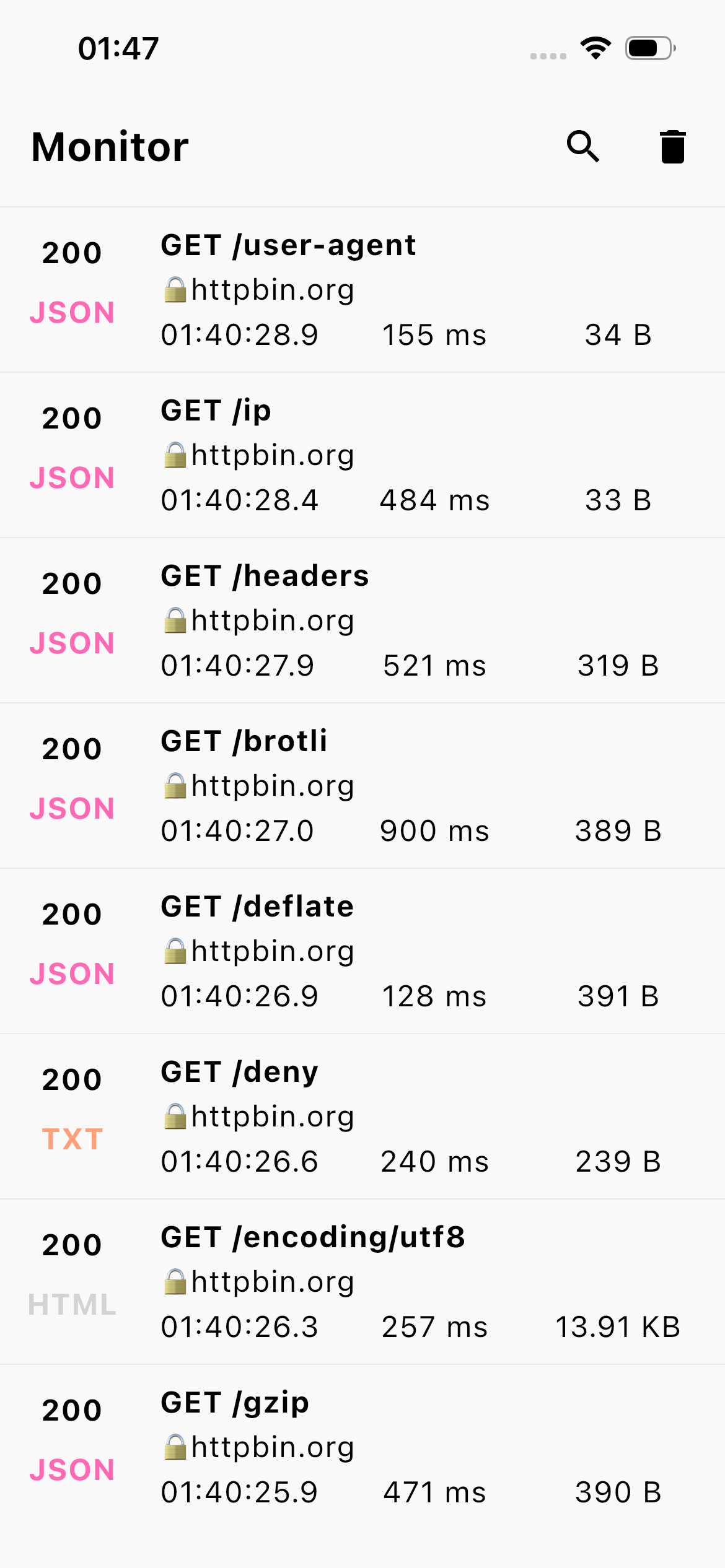

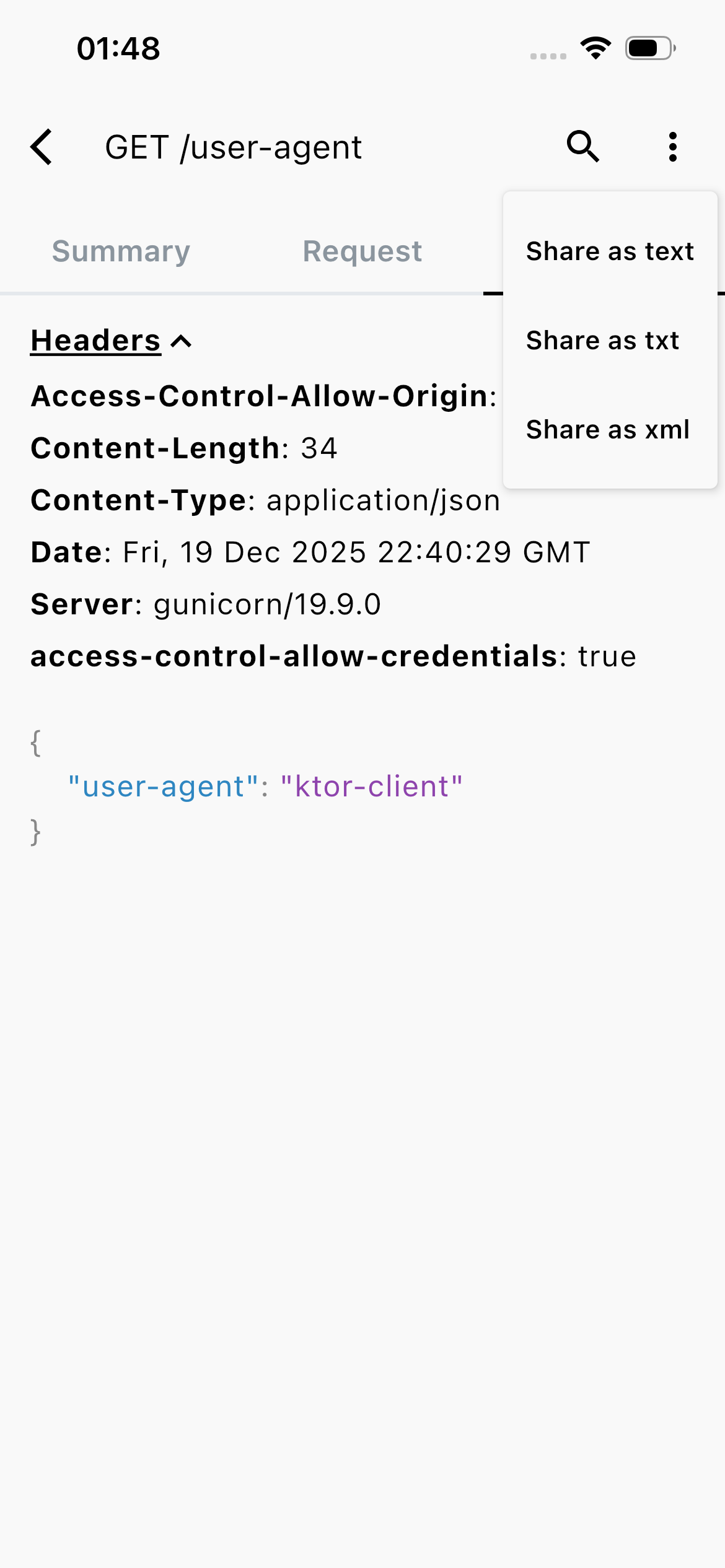
See how Network Monitor stacks up against other popular network debugging tools.
| Feature | Network Monitor | Chucker | Others |
|---|---|---|---|
| KMP Ktor Support | ✓ | ✗ | ✗ |
| Retrofit Support | ✓ | ✓ | ⚠ |
| Header Sanitization | ✓ | ⚠ | ✗ |
| Host Filtering | ✓ | ✗ | ✗ |
| No-Op Release Build | ✓ | ✓ | ⚠ |
| Multiplatform | ✓ | ✗ | ✗ |